Loopple

A short clip in. Hours of ambience out.

A Mac app for lofi and ambience channels. Turn a few seconds of video into a seamless 2–8 hour video, with your music, rain underneath and your logo, ready for YouTube and Shorts.

US$9.99 · one-time purchase Coming soon to the Mac App Store. No subscription, no account.

YouTube · 1920×1080 · 3 hours

This 4.4-second loop, played 2,469 times, is a 3-hour video.
How it works

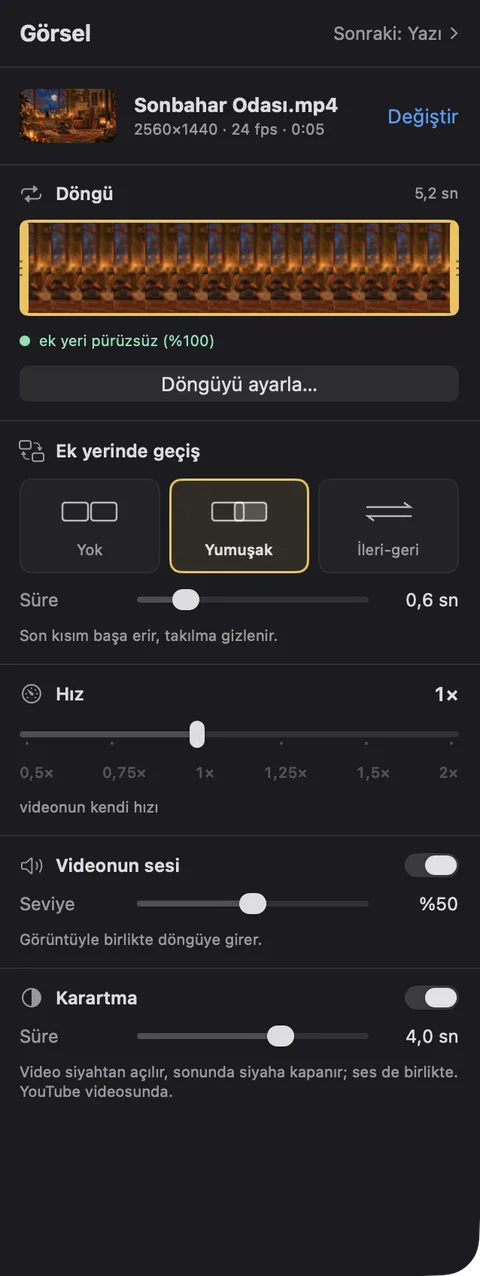
  1. Loopple's picture step: the loop on a filmstrip, a seam check that reads smooth, and the choice of a soft crossfade

    1

    Loop the picture

    Drop in a short clip, made by hand or with an AI video tool. Trim it, and Loopple hides the seam with a crossfade or a forward-and-back loop.

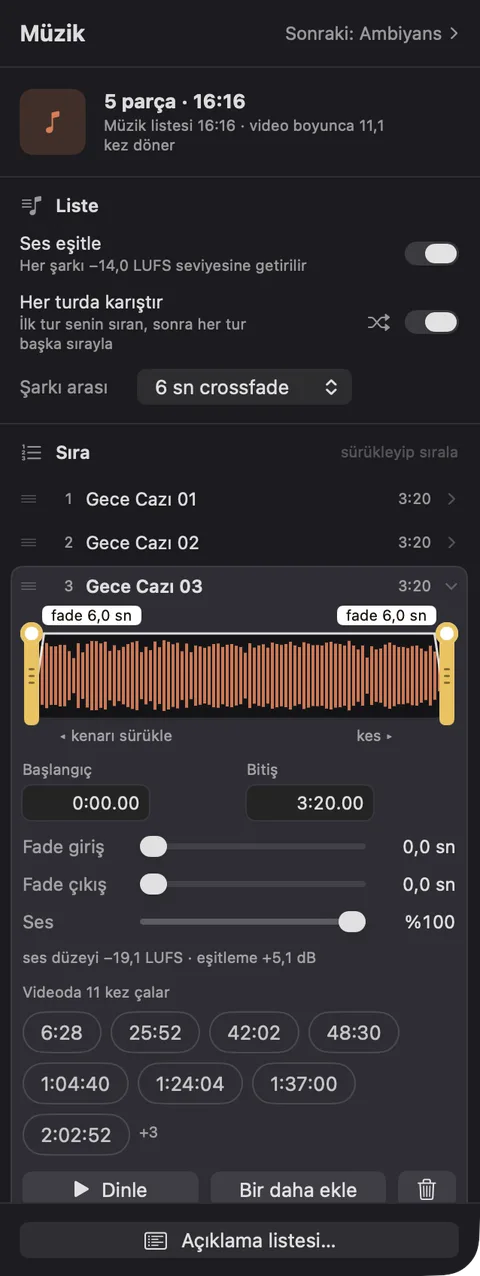
  2. Loopple's music step: levelling and shuffle switches above five songs, one of them open with its waveform, trim handles and fades

    2

    Line up the music

    Add your songs, then trim and fade them on their waveforms. Shuffle every pass and level them all to −14 LUFS.

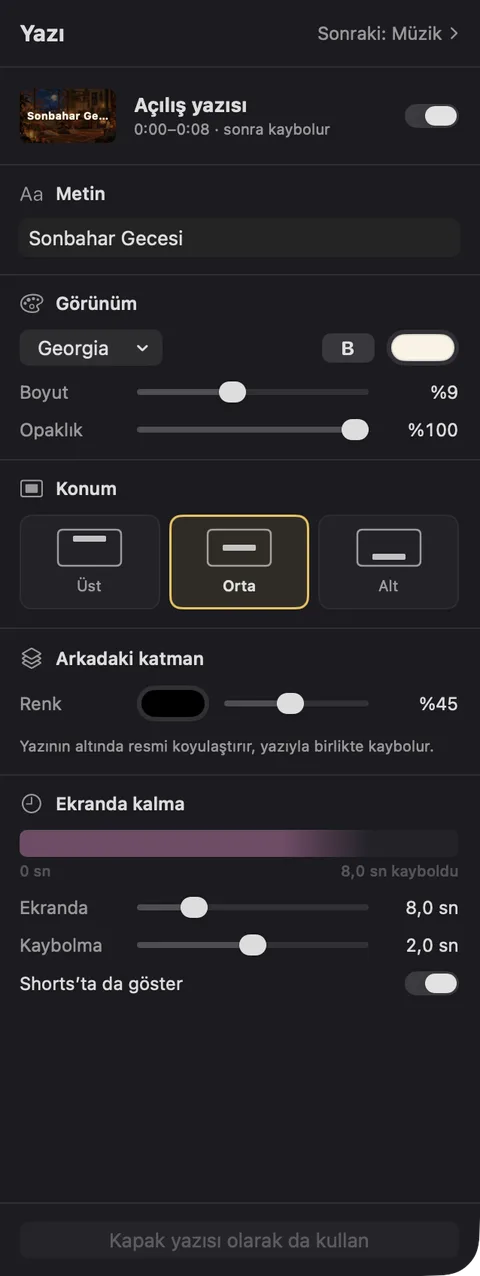
  3. Loopple's title step: the opening title's text, font, size, place on screen and how long it stays

    3

    Make it yours

    Lay rain or a fireplace under the music, open with a title, and put your logo where each video wants it.

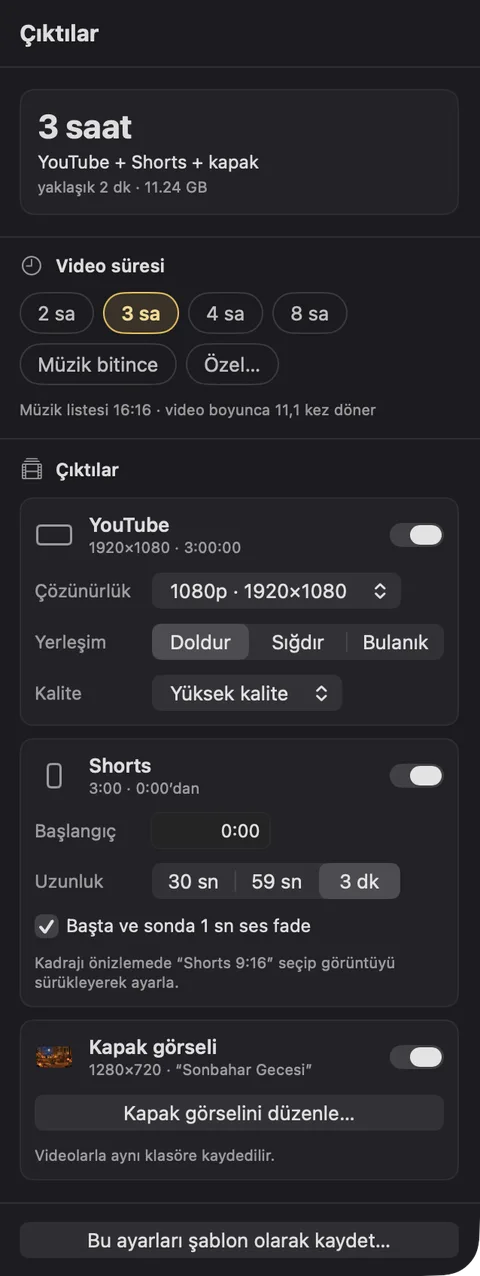
  4. Loopple's outputs step: a 3-hour length, and switches for the YouTube video, the Shorts excerpt and the cover image

    4

    Create

    Pick 2, 3, 4 or 8 hours. Loopple writes the YouTube video, a vertical Shorts excerpt and a cover image to the folder you choose.

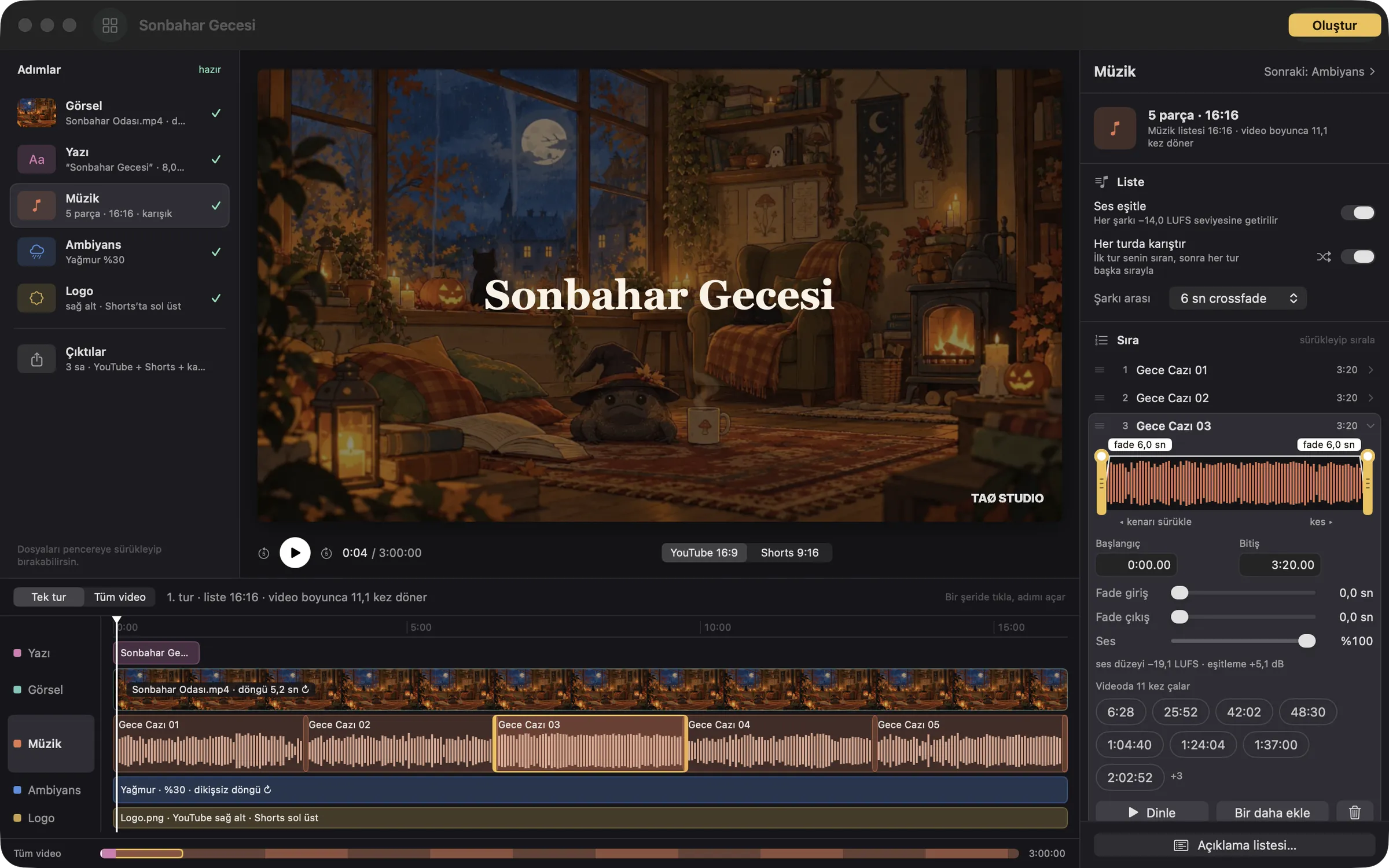
The steps on the left, the picture in the middle, the whole video underneath.

Click a step or a lane on the timeline and its tools open on the right. The timeline shows one pass of your music list, or the full three hours, with the Shorts excerpt marked.

The Loopple window: steps on the left, an autumn room playing in the preview, the music step open on the right, and lanes for the title, picture, music, ambience and logo along the bottom

What's inside

At a glance

Price
US$9.99, one-time, on the Mac App Store (coming soon)
Requires
macOS 14 Sonoma or later, Apple silicon or Intel
Video length
2, 3, 4 or 8 hours, as long as the music, or any length you type
YouTube video
MP4 (H.264, AAC) in 720p, 1080p or 4K
Shorts
1080×1920, 30 seconds, 59 seconds or 3 minutes
Cover
1280×720 JPEG with its own title and logo
Files in
MP4 or MOV video; MP3, M4A, WAV, AIFF or FLAC audio; PNG, SVG or PDF logos
Language
Turkish interface for now
Privacy
No data collected, no network connections
Made by
TAO STUDIO, a two-person studio that makes ambience videos too

Support

Questions, bugs or ideas? Email [email protected]
Türkçe yazabilirsin.

To help us sort things out quickly, please include:

FAQ

Loopple is a Mac app for lofi and ambience channels. It turns a short visual clip into a long video: it makes the clip loop without a visible seam, plays your music list over it with rain or a fireplace underneath, adds your title and logo, and writes the YouTube video, a vertical Shorts excerpt and a cover image in one go.

Drop in a short clip, add your songs and choose a length: 2, 3, 4 or 8 hours, as long as the music list, or any length you type, such as 10:00:00. Loopple repeats the loop and the music list until the video is that long. Then press Create.

Yes. Any video your Mac can play works, including clips from Runway, Kling, Hailuo or Sora. Those clips rarely loop on their own, so Loopple lets you trim the start and end on a filmstrip, tells you how visible the seam is, and hides it with a crossfade or a forward-and-back loop.

You can, but a 3-hour video means placing the clip thousands of times and waiting for every frame to render. Loopple renders the loop once and repeats it, keeps your songs as a list you can reorder and trim, and makes the Shorts excerpt and the cover from the same project.

No. Everything is rendered on your Mac. Loopple makes no network connections and collects no data.

Any video your Mac can play, such as MP4 or MOV, and common audio files such as MP3, M4A, WAV, AIFF and FLAC. Logos can be PNG images with transparency, SVG or PDF.

An MP4 video for YouTube (H.264 with AAC sound, in 720p, 1080p or 4K), a 1080×1920 vertical excerpt for Shorts, and a 1280×720 cover image, all saved to the folder you choose. Each one can be turned off.

US$9.99, once, on the Mac App Store. There is no subscription, no account and no ads, and Loopple puts no watermark of its own on your videos.

The interface is currently in Turkish. The store page and this site are in English.

Loopple runs on macOS 14 Sonoma or later, on both Apple silicon and Intel Macs.

Need more help?

Contact us